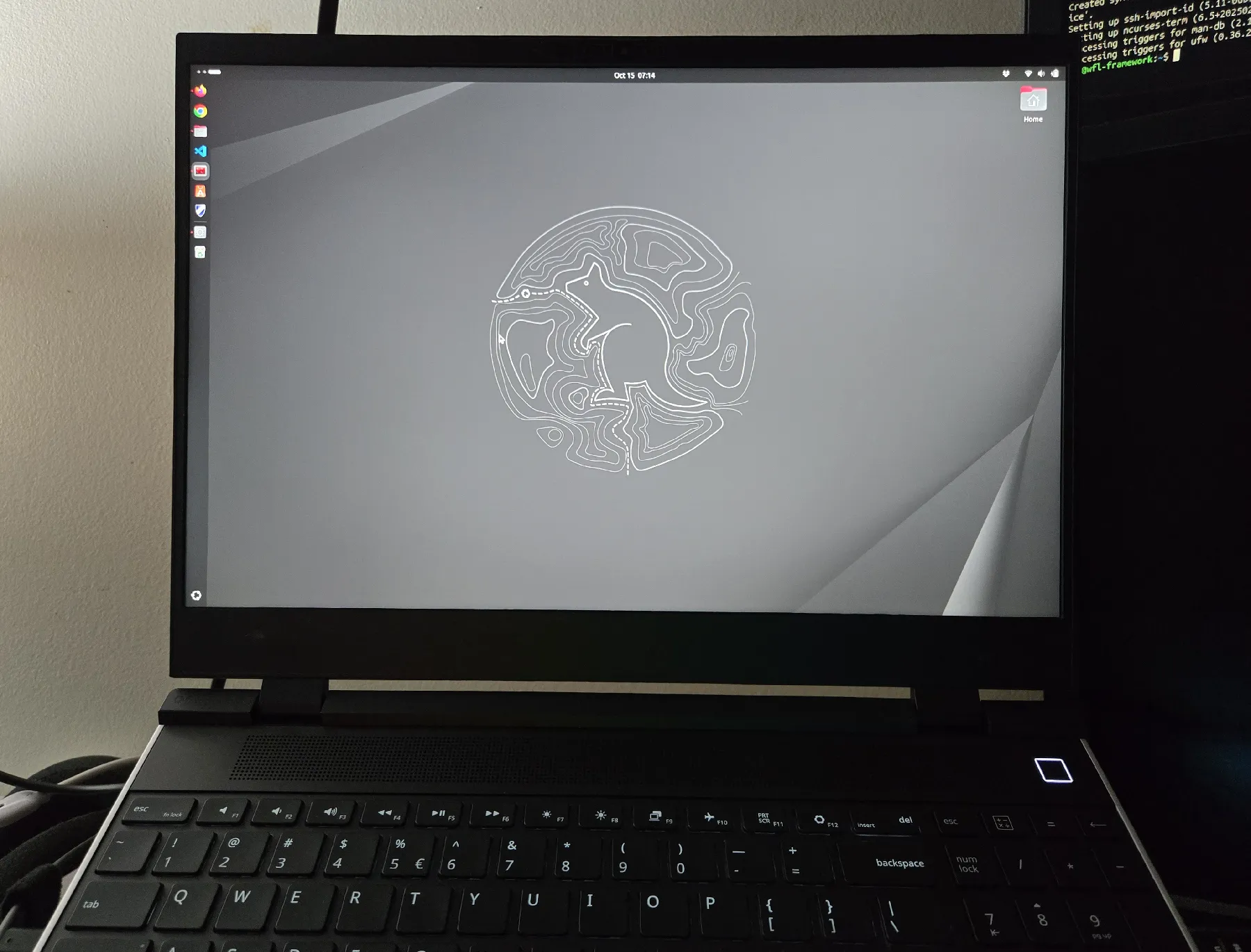
A disabled nerd's review of the framework 16 DIY laptop
After 5.5 years, I finally decided it was time to say "fuck it" and upgrade my aging System76 Darter Pro (v6); the thing still works fine (and I'll honestly probably sell it on eBay because.. Money), but if the fan ramps up it's noisy as hell, and trying to repair it with my barely-functional hands now is a prospect I do not relish.
Plus, I just wanted new hardware.
After looking at System76's latest offerings, and comparing them to my "ideal build" on a Framework, I decided.. Let's go the Framework route this time.
I bought the Framework 16 7040 model.. And went with the DIY edition, despite the fact that my last desktop PC was something I had someone else build for me because - even in my youth - it tended to be a painful process to assemble a computer.
Let me say this right off the bat: I had zero problems putting together my DIY edition framework, despite severe arthritis, nerve issues due to CMT, and a metric fuck-ton of exhaustion due to a heavy workload at the day job and very little sleep.
I also had zero issues repairing it when it arrived malfunctioning: More on that later.
So, let's get into putting the thing together, and my thoughts.
Receiving & building the Framework 16 DIY Edition as a disabled nerd
For my build, I went with the cheaper AMD 7040 edition, no GPU module, 32GB of RAM, 1 1TB NVME drive, the numpad module, and a handful of expansion cards.
I placed my order on a Friday morning.
I received my order the following Tuesday afternoon.. From Taiwan.
Framework didn't even make me deal with customs & tariffs: All that was handled on their end.. And for about $1,850 USD, I'm very happy about that fact.
The packaging was fantastic; Everything was well organized, and it was easy to get it all pulled out and arranged in a cohesive manner for me to do my thing (frequently I've had issues with how some laptops are packed up, and would somehow injure myself just trying to get the damned thing out of the box without making a mess).
You probably don't care much about that, though, so.. Let's get to assembly, shall we?
My laptop came with the only tool you'd need: A swappable-head screwdriver with a shim-shaped end on the other side. It is pretty slim, but the texture was fairly grippable for me, and I didn't drop it once by some miracle while I was un-screwing the 16 screws on the mid plate (that thankfully would stay in-place while I lifted the plate out).
I followed the instructions on their site. For someone who has been building & repairing computers for more than half my life, I had no issues following along.. But I will note that if you are a complete newbie, you may get confused.
In fact, one issue I noted is that it didn't cover what to do with the long thermal paste block that was sitting on top of where the NVME drive(s) would slot in.. So, I ended up sticking it on top of the drive after I popped that in, expecting that it would be the best location for it.
Otherwise, assembly was a breeze.. And I'll be damned if it wasn't a million fucking times easier than working on a modern desktop (even if you exclude cable management, which is a task I fucking hate with a flame-soaked passion).
I loved how much of the work was just "slot & snap", or "slot & drop". Magnets: How do they fucking work so well?
I also loved that I could shift the touchpad over to the left rather than the center.
What I didn't love was the alignment of the spacers afterwards..
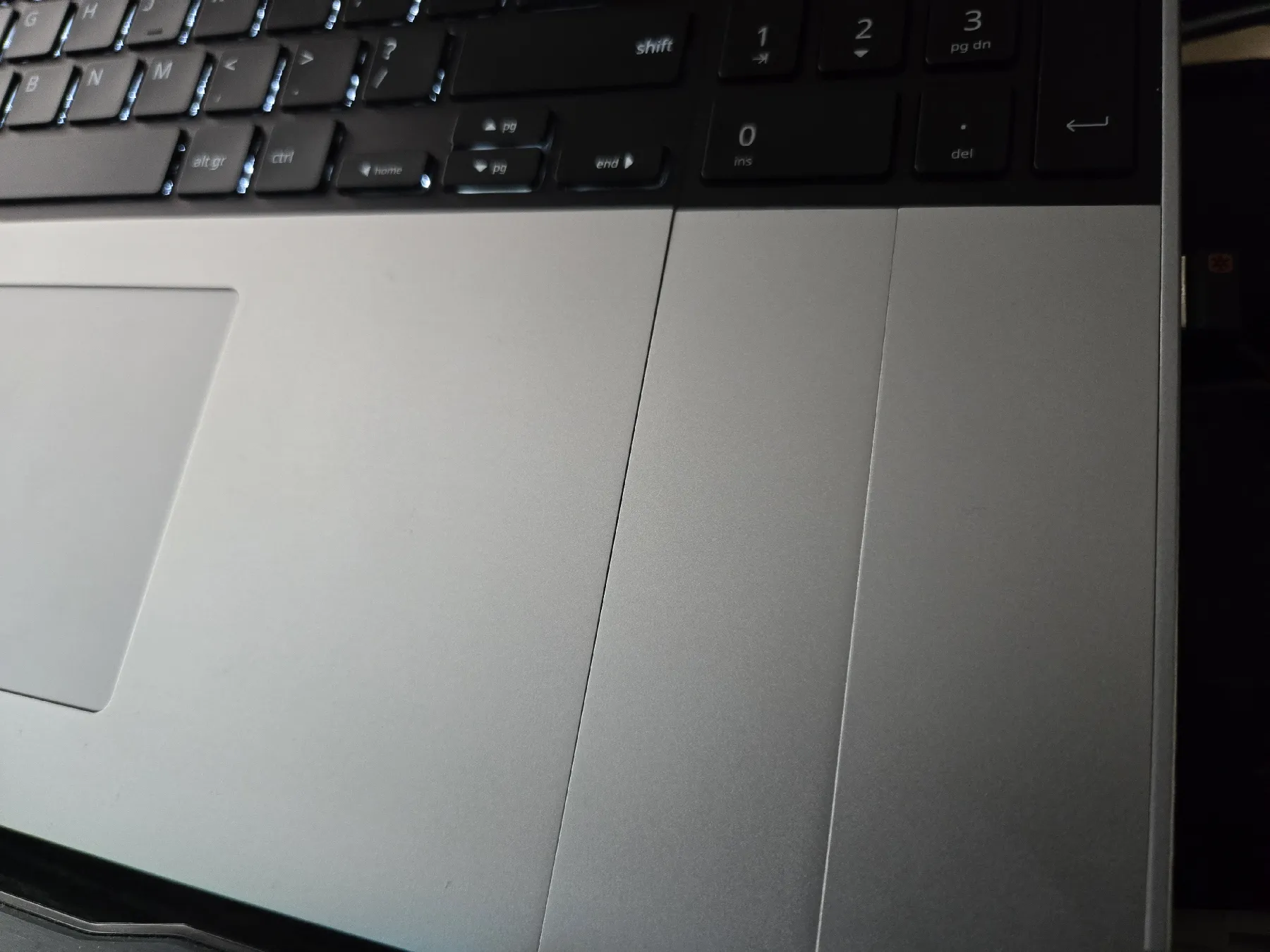
Ok, it doesn't impact functionality, and it's not like I'm able to hurt myself on their misalignment, but.. It makes me think about the Cybertruck's bad fit tolerances just slightly.
Also, as an aside: I had to switch the band on my fitbit to something non-magnetic, so I didn't keep getting stuck on the damned metal while I typed :D
And finally - regarding building, at least - I do wish the numpad module had a backlight like the keyboard.
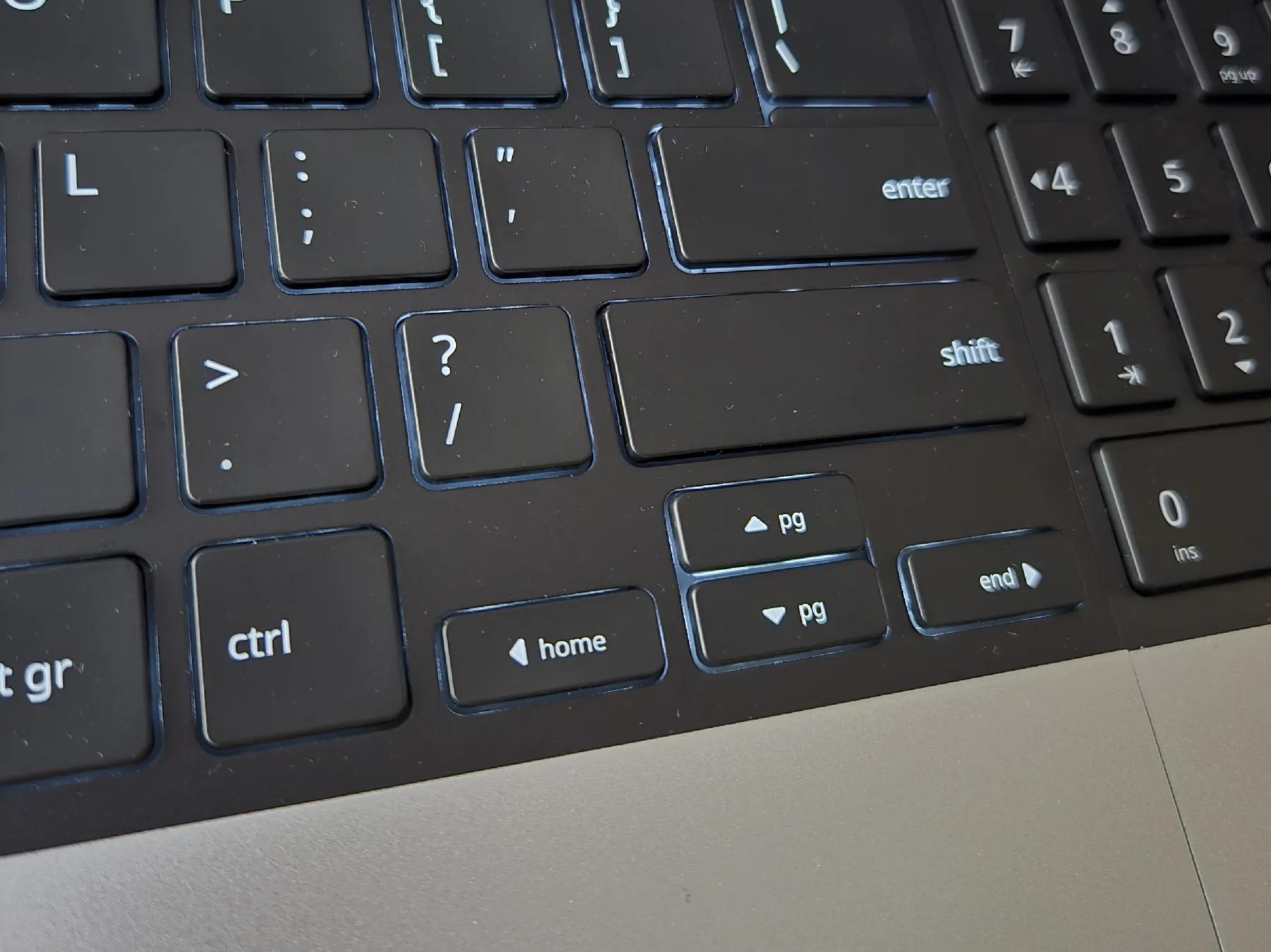
So, I had it assembled. It was time to boot this beast up, install an OS, and restore backups of all my shit.. Or was it?
Failure to launch: Repairing a Framework straight from the factory
I turned it on, and immediately saw a problem.
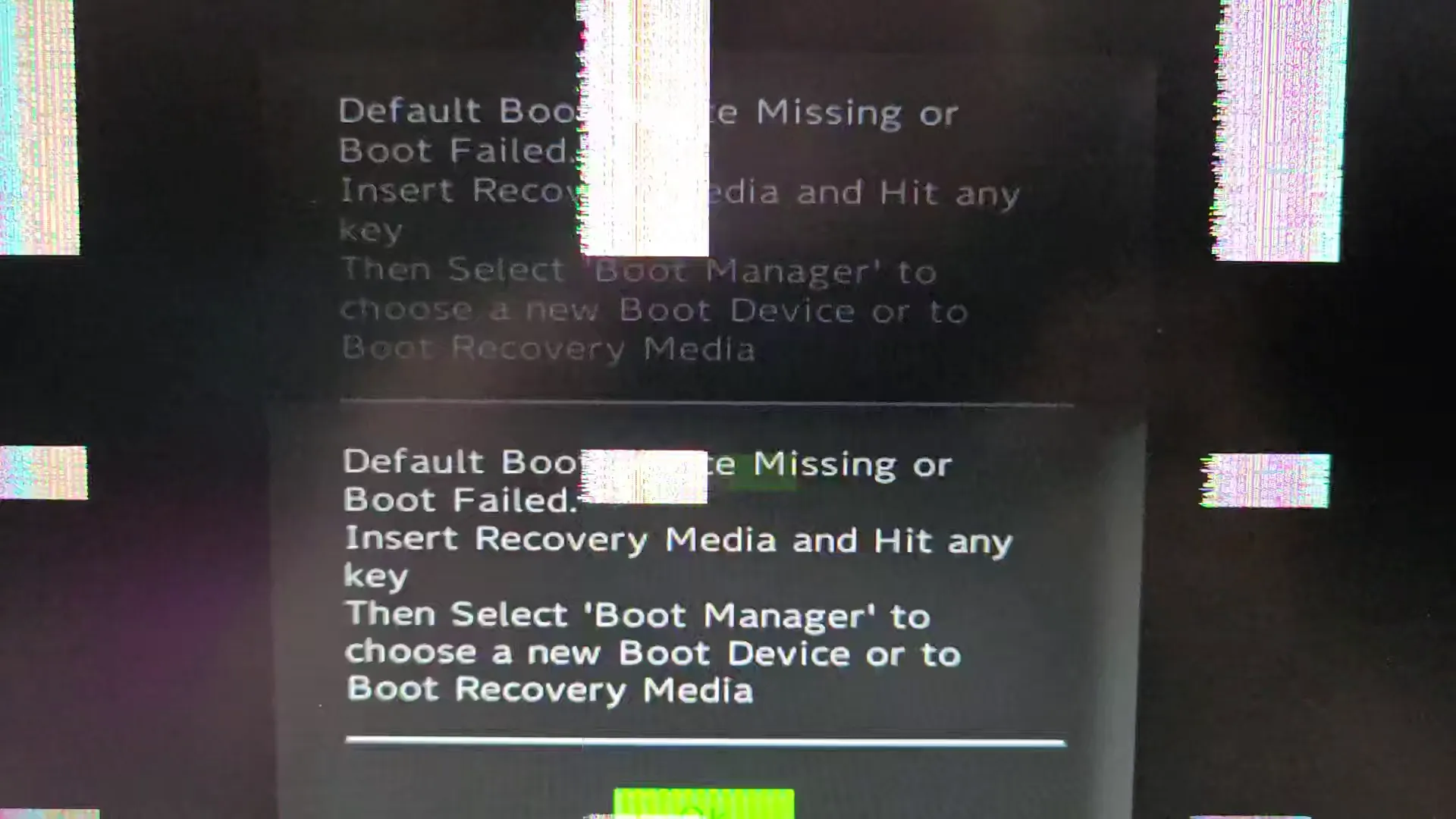
My screen was glitching out in a way that would be fine if it was from some glitch art I was producing, but in this case, I actually didn't want a glitching screen.
I did some searching, reached out to Framework Support, and waited for about 15 minutes..
..Until I realized I had a goddamned repairable laptop, so I could at least attempt to fix it myself and wouldn't even void any warranty.
I looked up Framework's guide to replacing the screen on the Framework 16, and went to work.
This was fucking easy. I got to the point to where I'd disconnect the screen, and just firmly pushed the connector in before putting everything back together.
It booted up without a hitch, and I was off to the races installing Fedora Linux.
The Framework 16, Linux, and overall performance
I always run Linux on my dev machines. I've been a Linux user for almost 30 years now, on-and-off, and got my start with Red Hat Linux.
My System76 was running Ubuntu, but I decided that - since Framework officially supports Fedora - I'd load that up in this situation just to change it up.
Of course, I always fucking forget why I don't run Fedora.. Every time I install it, I have some nuisance issue that makes me say "fuck it" and run something else.
In this case, Fedora's package manager was not handling loading MySQL server up well at all, so.. Fuck it, back we go to Ubuntu. I am too old and too goddamned busy to troubleshoot Linux anymore, which is why I run Ubuntu (and hardware that supports it).
I loaded up 25.10 - the latest version of Ubuntu - and was up and running in no time at all without any issues. Ordinarily I'd wait a bit before installing something so bleeding-edge, but in this case.. Again, fuck it.
Aside from PHP 8.3 FPM not being available via my usual package repos yet (8.4 works fine for everything I do for right now at least), I had no issues.
Everything just fucking works, and it works well. Performance is of course better than my old laptop, but really I don't tax my dev machine too much. Packaging, building, and more all run fine. Web browsing is fine, and crab rave sounded decent enough through the Framework's speakers (but obviously it's still laptop speakers).
Mobile performance was particularly important to me, though, and I am proud to say that the battery is doing exceptionally well here; Even powering a higher-res display and a faster processor I'm getting more battery life than my System76 Darter Pro v6. While I don't expect to get 8 hours of battery life while doing my usual dev work, I get more than enough (and would estimate the life to be at around 6 hours while working and surfing here).
I did have 4 relatively minor challenges regarding mobility:
- Finding a laptop sleeve that fit was a bit of a PITA, but I settled on a Solo New York 15.6" sleeve that fit perfectly (although if you have the GPU module I believe you'll need something else).
- This thing is a bit heavier than I was expecting; part of this is due to it having more metal than my old laptop, plus the larger size, but just keep this in mind.
- The ports on all of the expansion cards I've bought are all exceptionally tight; Disconnecting the USB C and HDMI devices I've got connected required me to hold the expansion card as I pulled so I didn't risk damaging them when unplugging things like my dock, charger or monitors for my weekend trips to the local coffee shop to work on shit like this.
- There was no KB shortcut to disable the touchpad; I have to go into system settings in order to do so, which means I have to use KB navigation if my mouse dies while I'm working in order to turn it back on (not a huge deal, but a nuisance all the same).
Final thoughts on the Framework 16 DIY edition
This is going to be short:
If you have any experience at all working on a computer, you can absolutely handle the Framework 16 DIY edition. As long as you have relatively functional hands, you can do it. Trust me: This was easy.
I love this laptop, despite the glitching display issue.. And I plan on keeping it, upgrading, and repairing it for as long as I can, because it fucking works for me.
It won't work for everybody, of course, but Framework has officially sold me as a customer for a very long time.